
Hot
Web Design Course
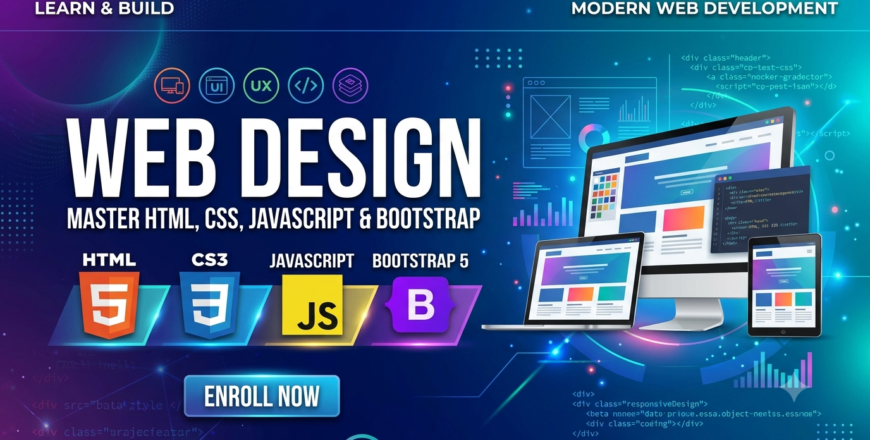
Master web design and development using HTML, CSS, JavaScript, and Bootstrap. Build responsive and interactive websites through hands-on training, from ...
Show more

- Description
- Curriculum
- FAQ
- Notice
- Reviews
Purpose of Web Design Course
The purpose of this Web Design Course at NICON Group of Colleges is to equip students with the foundational knowledge and practical skills needed to build modern, responsive, and interactive websites. Students will learn the basics of web design, from understanding the basic structure of web pages using HTML to styling with CSS and adding interactivity with JavaScript . The course covers Bootstrap framework for responsive layouts, preparing students to create professional websites for clients or their own projects .
Key Features of This Web Design Course
The key features of this Web Design Course are as follows:
-
We enable students to gain proficiency in HTML5, CSS3, JavaScript, and Bootstrap
-
Students develop hands-on experience in building responsive and interactive websites
-
This course enhances career prospects in web design and front-end development
-
Learn visual design principles, typography, color theory, and layout design
-
Master responsive web design using media queries, Flexbox, and Bootstrap grid
-
You will learn from highly qualified and experienced instructors
-
Interactive, practice-oriented teaching methodology with hands-on projects
-
Flexible timings to accommodate all students
-
Certification upon completion of the course
Importance of Web Design
Growing Industry Demand: Web design is an ever-evolving field that demands creativity, technical skills, and a deep understanding of user experience . Companies increasingly need skilled web designers to create and maintain their online presence.
Career Opportunities: Web design skills are in high demand globally. Graduates can work as web designers, front-end developers, UI/UX designers, or freelance web designers. You can also build and maintain websites for businesses or create your own online portfolio .
Versatile Applications: Web design skills are applicable across all industries and sectors—from e-commerce and corporate websites to personal blogs and non-profit organizations .
Freelancing Opportunities: Web design skills enable individuals to work as freelancers, offering services to businesses and individuals worldwide. You can set up profiles on platforms like Fiverr, Upwork, and Behance .
Who Should Join This Web Design Course?
This Web Design Course is suitable for:
-
Students looking to build a career in web design and front-end development
-
Freelancers wanting to offer web design services
-
Business owners wanting to build their own websites
-
Professionals wanting to upgrade their technical skills
-
Anyone interested in web design and development
Career Growth with Web Design
Enhanced Job Prospects: Web design skills are in high demand across all industries. Graduates can work as web designers, front-end developers, UI/UX designers, or pursue further specialization in web development .
Freelancing Opportunities: Web design skills enable individuals to work as freelancers, offering design and development services to businesses and individuals worldwide. You can set up profiles on Fiverr, Upwork, and Behance .
Career Opportunities: Possible job positions include web designer, front-end developer, UI/UX designer, web developer, creative designer, and with further education, full-stack developer.
Portfolio Development: The course provides hands-on practice to develop professional online portfolios, which can be showcased to potential employers or clients .
Why NICON Group of Colleges?
NICON Group of Colleges is one of the leading skill-based education providers in Pakistan, offering reliable and practical education through our multiple campuses across the country. We are always keen to provide what students need to get fast results after taking the course. This Web Design Course is designed for individuals serious about building web design and development skills.
Join us through this Web Design Course because we provide:
-
Unique Methods of Learning
-
Project Analysis
-
Certification as an Award
-
Expert Faculty with Proven Track Record
-
Modern Learning Facilities
-
Flexible Timings
-
Multiple Campus Locations Across Pakistan
Week 1
-
1
 Day 1
Day 1Introduction to Web Design
-
What is Web Design and why it matters
-
Evolution of the World Wide Web
-
Web design vs web development
-
Web design process overview
-
Career opportunities in web design
-
Assignment: Research successful websites
-
-
2
Day 2
Visual Design Principles for Web
-
Graphic design principles for web
-
Typography fundamentals and font selection
-
Color theory and effective color schemes
-
Layout design and visual hierarchy
-
Spacing and alignment principles
-
Assignment: Apply design principles to a web layout
-
-
3
Day 3
UX/UI Design Fundamentals
-
User-centered design and customer-centered design
-
Understanding user needs and behavior
-
Wireframing and prototyping for web UI
-
Creating navigation frameworks for websites
-
Assignment: Create a wireframe for a website
-
-
4
 Assignment 1
 -
5
 Quiz 1
Week 2
-
6
Day 4
Design Tools Overview
-
Introduction to Figma for collaborative design
-
Adobe XD basics
-
Photoshop for web graphics
-
Canva for quick graphics
-
Assignment: Create a mockup in Figma
-
-
7
Day 5
Web Typography and Color
-
Typography for web and readability
-
Working with Google Fonts
-
Color accessibility and contrast
-
WCAG guidelines for accessibility
-
Assignment: Create a typography and color palette
-
-
8
Day 6
HTML Basics & Structure
-
What is HTML and why it matters
-
Basic structure of HTML documents
-
HTML elements, tags, and attributes
-
Headings, paragraphs, and text formatting
-
Block vs inline elements
-
Assignment: Create a basic HTML page structure
-
-
9
Assignment 2
-
10
Quiz 2
Week 3
-
11
Day 7
HTML Text Formatting
-
Bold, italic, strong, and emphasized text
-
Superscript, subscript, and other formatting
-
Comments and best practices
-
Assignment: Format content using HTML tags
-
-
12
Day 8
HTML Links and Navigation
-
Creating hyperlinks (text, image, email, phone)
-
Relative vs absolute paths
-
Anchor tags and target attributes
-
Navigation menus
-
Assignment: Build a navigation system
-
-
13
Day 9
HTML Images and Media
-
Adding and optimizing images
-
Image formats (JPEG, PNG, SVG, WebP)
-
Audio and video embedding
-
HTML5 video and audio tags
-
Assignment: Embed media in a web page
-
-
14
Assignment 3
-
15
Quiz 3
Week 4
-
16
Day 10
HTML Tables
-
Creating and structuring tables
-
Table headers, rows, and cells
-
Merging cells and styling tables
-
Assignment: Create a tabular data layout
-
-
17
Day 11
HTML Forms
-
Creating interactive forms
-
Input types and form controls
-
Form validation
-
GET vs POST methods
-
Assignment: Build a contact form
-
-
18
Day 12
HTML5 Semantic & Advanced Features
-
Semantic elements (header, nav, main, section, article, footer)
-
HTML5 Canvas and SVG
-
HTML5 Web Storage
-
Drag and drop, geolocation
-
Assignment: Create a semantic HTML page
-
-
19
Assignment 4
-
20
Quiz 4
Week 5
-
21
Day 13
CSS Basics & Syntax
-
What is CSS and why it matters
-
CSS syntax and selectors
-
Inline, internal, and external CSS
-
CSS comments and organization
-
Assignment: Style a basic HTML page
-
-
22
Day 14
CSS Box Model
-
Understanding the Box Model
-
Margin, padding, and border
-
Content box vs border box
-
Assignment: Apply box model properties
-
-
23
Day 15
CSS Typography & Colors
-
Font properties and Google Fonts
-
Text styling and line height
-
Colors (hex, RGB, RGBA, HSL)
-
Background colors and images
-
Assignment: Style text with CSS
-
-
24
Assignment 5
-
25
Quiz 5
Week 6
-
26
Day 16
CSS Layout - Display & Positioning
-
Display property (block, inline, flex, grid)
-
Position property (static, relative, absolute, fixed, sticky)
-
Float and clear
-
CSS opacity and visibility
-
Assignment: Create a layout using positioning
-
-
27
Day 17
CSS Flexbox - Part 1
-
Introduction to CSS Flexbox
-
Flex container properties
-
Flex direction and wrap
-
Justify-content and align-items
-
Assignment: Create a flexible layout
-
-
28
Day 18
CSS Flexbox - Part 2
-
Flex items properties
-
Order, grow, shrink, basis
-
Advanced Flexbox layouts
-
Assignment: Build a complete flex layout
-
-
29
Assignment 6
-
30
Quiz 6
Week 7
-
31
Day 19
CSS Transitions & Animations
-
CSS3 transitions
-
CSS3 animations and keyframes
-
2D and 3D transforms
-
Assignment: Add animations to a web page
-
-
32
Day 20
-
Rounded corners and box shadows
-
CSS gradients
-
CSS variables (custom properties)
-
CSS object-fit and image reflection
-
Assignment: Apply advanced CSS3 features
-
-
33
Day 21
Introduction to Responsive Design
-
Responsive design principles
-
Mobile-first vs desktop-first approach
-
Viewport meta tag
-
Assignment: Make a page mobile-friendly
-
-
34
Assignment 7
-
35
Quiz 7
Week 8
-
36
Day 22
Media Queries
-
What are media queries and why they matter
-
Breakpoints and device types
-
Creating responsive layouts
-
Assignment: Implement media queries
-
-
37
Day 23
CSS Grid Layout
-
Introduction to CSS Grid
-
Grid container properties
-
Grid items and placement
-
Assignment: Build a grid-based layout
-
-
38
Day 24
Responsive Media & Images
-
Responsive images with srcset and picture
-
Responsive video and iframes
-
Testing and debugging responsive designs
-
Assignment: Optimize media for all devices
-
-
39
Assignment 8
-
40
Quiz 8
Week 9
-
41
Day 25
Introduction to JavaScript
-
What is JavaScript and why it matters
-
JavaScript syntax and basics
-
Variables and data types
-
Operators and expressions
-
Assignment: Write basic JavaScript code
-
-
42
Day 26
JavaScript Functions & Control Flow
-
Functions and their uses
-
Conditions and decision making (if-else, switch)
-
Loops (for, while, do-while)
-
Assignment: Build a simple program
-
-
43
Day 27
DOM Manipulation
-
What is the Document Object Model (DOM)
-
Selecting elements
-
Modifying content and styles
-
Assignment: Interact with web page elements
-
-
44
Assignment 9
-
45
Quiz 9
Week 10
-
46
Day 28
Events and Event Handling
-
Event listeners and handlers
-
Click, hover, submit, and other events
-
Form validation with JavaScript
-
Assignment: Build an interactive form
-
-
47
Day 29
JavaScript Projects
-
Image sliders and carousels
-
Modals and pop-ups
-
Interactive navigation
-
Assignment: Create a mini project
-
-
48
Day 30
Introduction to Bootstrap
-
What is Bootstrap and why it matters
-
Bootstrap CDN and setup
-
Bootstrap grid system
-
Responsive utilities
-
Assignment: Set up a Bootstrap project
-
-
49
Assignment 10
-
50
Quiz 10
Week 11
-
51
Day 31
Bootstrap Components - Part 1
-
Typography and buttons
-
Navigation bars and menus
-
Cards and containers
-
Assignment: Build a navigation system
-
-
52
Day 32
Bootstrap Components - Part 2
-
Forms and form validation
-
Modals, carousels, and tooltips
-
Alerts, badges, and progress bars
-
Assignment: Create a complete Bootstrap page
-
-
53
Day 33
Customizing Bootstrap
-
Customizing Bootstrap themes
-
Bootstrap utilities and helper classes
-
Using Sass with Bootstrap
-
Assignment: Build a custom Bootstrap theme
-
-
54
Assignment 11
-
55
Quiz 11
Week 12
-
56
Day 34
Web Hosting & Deployment
-
Domain registration and web hosting
-
FTP and hosting control panels
-
Deploying with Netlify and other platforms
-
Assignment: Deploy a website online
-
-
57
Day 35
Web Accessibility & SEO Basics
-
Web accessibility principles and WCAG standards
-
SEO basics and on-page optimization
-
Meta tags and alt text
-
Assignment: Optimize a website for SEO
-
-
58
Day 36
Final Assessment & Capstone Project
-
Comprehensive revision of all topics
-
Capstone project: Build a complete multi-page responsive website
-
Presenting design portfolio
-
Final presentation and feedback
-
Certification
-
-
59
Assignment 12
-
60
Quiz 12
What is the Web Design Course at NICON?
This 3-month course covers HTML5, CSS3, JavaScript, and Bootstrap for building modern responsive websites, with no prior knowledge required.
Where are the course campuses located?
The course is offered at NICON's 6th Road campus in Rawalpindi and other campuses across Pakistan, making web design education accessible nationwide.
What technologies will I learn?
You will learn HTML5, CSS3, JavaScript, Bootstrap, responsive design, Flexbox, CSS Grid, and Figma for design prototyping .
Who should join this course?
Students, freelancers, business owners, and anyone wanting to build websites or start a career in web design and development .
What are the career benefits?
Graduates can work as web designers, front-end developers, UI/UX designers, or freelance web designers for businesses worldwide.
What are the requirements to enroll?
No prior knowledge required. Students need regular attendance, notebook, and a learning-oriented mindset. Laptop recommended.
How does NICON teach web design?
NICON uses interactive, practice-oriented methods with qualified instructors, covering all skills through hands-on projects and portfolio building .
Will I learn responsive design?
Yes, you will learn responsive design principles, media queries, Flexbox, CSS Grid, and Bootstrap for building mobile-friendly websites .
Will I learn design tools?
Yes, you will learn Figma for wireframing and prototyping, along with design principles for effective web design .
Why choose NICON for Web Design Course?
NICON offers expert faculty, flexible timings, multiple campus locations, comprehensive curriculum, practical training, and recognized certification.
Web Design Course Now Open for Admissions
This is to inform all students and professionals that NICON Group of Colleges is now accepting admissions for its comprehensive Web Design Course at the 6th Road Campus and other campuses across Pakistan. The course is designed for individuals who want to gain solid practical skills in website design, UI/UX, and responsive development—without a long-term commitment . Students will learn to create stunning and user-friendly websites, covering web page layout, content production, and graphic design . Limited seats are available, and interested candidates are encouraged to register early.
Course Highlights:
-
Comprehensive training in HTML5, CSS3, JavaScript, and Bootstrap
-
Build responsive websites using modern layout techniques
-
Learn UX/UI principles, wireframing, and prototyping
-
Hands-on projects and portfolio development
-
Expert faculty with industry experience
-
Flexible timings and multiple campus locations
Please, login to leave a review

Course details
Duration
3 Months
Lectures
36
Video
1 hour 30 minutes
Assignments
12
Quizzes
12
Level
Advanced
Basic info
Web Design Course - Comprehensive 3-month training covering HTML5, CSS3, JavaScript, and Bootstrap for building modern, responsive websites.
Course requirements
There are no strict prerequisites for this course. Students must follow the timetable to enroll in and complete this Web Design Course. It includes:
-
Students must be prompt so they do not miss any training sessions
-
They must bring a notebook to write down important points
-
Candidates must have a learning-oriented mindset
-
Having a laptop is highly recommended for practical exercises