Hot
Video Editing
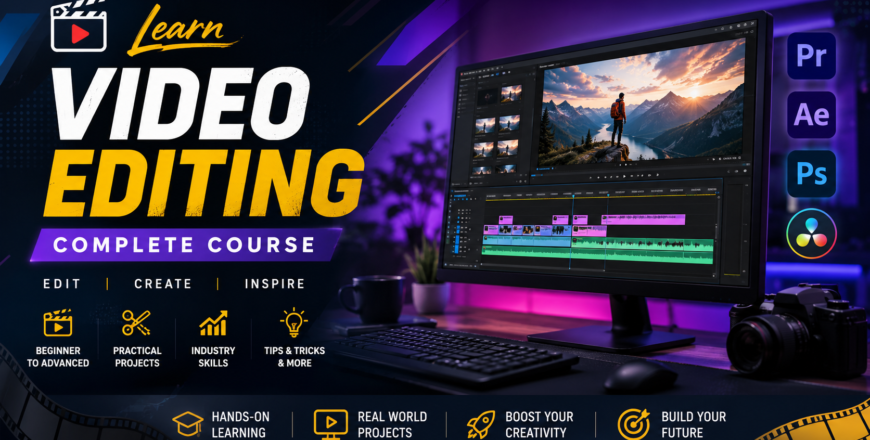
Master video editing fundamentals including non-linear editing, transitions, audio mixing, color correction, and motion graphics. Develop professional skills through hands-on projects using industry-standard software.

- Description
- Curriculum
- FAQ
- Notice
- Reviews
Purpose of Video Editing Course
The purpose of this Video Editing Course at NICON Group of Colleges is to equip students with the foundational knowledge and practical skills needed to pursue a career in video post-production. This course introduces students to the basics of video production and editing, and students are guided through a series of demonstrations and hands-on exercises to develop their skills . The course explores the fundamentals of the moving image, together with digital video editing techniques . Students will also learn about developing concepts for moving image work, capturing and importing video, creating rough-cut edits, fine-tuning the edit, working with effects and transitions, working with sound, and exporting final video projects .
Key Features of This Video Editing Course
The key features of this Video Editing Course are as follows:
-
We enable students to gain proficiency in video editing principles and techniques
-
Students develop hands-on experience with industry-standard editing software
-
This course enhances career prospects in media, advertising, and digital content creation
-
Learn to craft engaging narratives by effectively combining visuals, audio, and pacing
-
Master transitions, effects, color correction, audio mixing, and motion graphics
-
You will learn from highly qualified and experienced instructors
-
Interactive, practice-oriented teaching methodology with hands-on projects
-
Flexible timings to accommodate all students
-
Certification upon completion of the course
Importance of Video Editing
Growing Industry Demand: Video content has become essential across all industries, including media, advertising, digital content creation, corporate communications, social media, and entertainment. Editing plays a crucial role in the post-production process, which includes importing, organizing, editing, and exporting for different platforms .
Career Opportunities: Graduates can pursue careers as video editors, content creators, post-production specialists, motion graphics artists, or freelance editors. This course provides a solid foundation in video postproduction, focusing on practical skills in non-linear editing .
Creative and Technical Skills: Video editing requires balancing creativity with technical precision, applying key aesthetic principles to enhance the visual impact of your work .
Versatile Applications: Video editing is used across multiple formats including films, documentaries, music videos, news, commercials, corporate videos, and social media content.
Who Should Join This Video Editing Course?
This Video Editing Course is suitable for:
-
Students looking to build a career in video editing and post-production
-
Content creators wanting to enhance their video production skills
-
Media professionals seeking to upgrade their editing capabilities
-
Freelancers looking to offer video editing services
-
Anyone interested in video production and storytelling
Career Growth with Video Editing
Enhanced Job Prospects: Video editors are in high demand in media, advertising, digital content creation, corporate communications, and entertainment industries. The course provides students with practical skills in non-linear editing using industry-standard software .
Career Opportunities: Possible job positions include video editor, content creator, post-production specialist, motion graphics artist, colorist, and freelance editor.
Freelancing Opportunities: Video editing skills enable individuals to work as freelancers, offering services to businesses, content creators, and media companies worldwide.
Entrepreneurial Ventures: Video editing skills enable individuals to start their own production companies or content creation channels.
Why NICON Group of Colleges?
NICON Group of Colleges is one of the leading skill-based education providers in Pakistan, offering reliable and practical education through our multiple campuses across the country. We are always keen to provide what students need to get fast results after taking the course. This Video Editing Course is designed for individuals serious about developing video production and editing skills.
Join us through this Video Editing Course because we provide:
-
Unique Methods of Learning
-
Project Analysis
-
Certification as an Award
-
Expert Faculty with Proven Track Record
-
Modern Learning Facilities
-
Flexible Timings
-
Multiple Campus Locations Across Pakistan
Week 1
-
1
 Day 1
Day 1Introduction to Video Editing
-
What is Video Editing and why it matters
-
Evolution of film cameras and editing techniques
-
Early editing machines: Moviola and Steenbeck
-
Linear vs Non-Linear Editing
-
The digital film revolution
-
Career opportunities in video editing
-
Assignment: Research the history of film editing
-
-
2
Day 2
Understanding Video Production
-
The three phases of video production: Pre-Production, Production, Post-Production
-
Concept and idea generation
-
Scripting and storyboard development
-
Planning and approval process
-
Assignment: Create a storyboard for a short video
-
-
3
 Assignment 1
 -
4
 Quiz 1
 -
5
Day 3
Fundamentals of Video
-
Frame, shot, scene, and sequence
-
Video standards, frame sizes, and aspect ratios
-
Time codes and SMPTE standards
-
Understanding resolution and bitrate
-
Assignment: Analyze frame sizes and formats
-
Week 2
-
6
Day 4
Editing Principles and Techniques
-
Continuity editing and montage sequence
-
Kuleshov Effect and discontinuity editing
-
Elements of the edit: Motivation, Information, Composition
-
Rhythm, pacing, and timing in editing
-
Assignment: Identify editing techniques in a film
-
-
7
Day 5
Cut and Transition Techniques
-
Types of video cuts
-
180-Degree Rule, Cross-Cutting, Cutaway Shot
-
Establishing Shot, L-Cut, Reaction Shot, Axial Shot
-
Point of View Shot, Jump Cut
-
Transition techniques (dissolve, wipe, fade)
-
Assignment: Practice different cut techniques
-
-
8
Assignment 2
-
9
Quiz 2
-
10
Day 6
Introduction to Non-Linear Editing (NLE)
-
What is NLE and why it matters
-
Overview of editing software options
-
System requirements and setup
-
Importing, organizing, and editing media
-
Edit Decision List (EDL) and its importance
-
Assignment: Set up an editing software interface
-
Week 3
-
11
Day 7
Touring Adobe Premiere Pro
-
Touring the Adobe Premiere Pro interface
-
Workspace customization and panel arrangement
-
Setting up a project and sequence
-
Understanding project settings
-
Assignment: Explore the Premiere Pro interface
-
-
12
Day 8
Importing and Organizing Media
-
Importing assets and working with the Media Browser
-
Working with bins and organizing media
-
Organizing media with content analysis
-
Monitoring and modifying clips
-
The media cache and its management
-
Assignment: Organize a project bin structure
-
-
13
Assignment 3
-
14
Quiz 3
-
15
Day 9
Source Monitor and Timeline Editing
-
Using the Source Monitor and Program Monitor
-
Navigating the Timeline and essential editing commands
-
Working with clips and markers
-
Using Sync Lock and Track Lock
-
Finding gaps and moving clips
-
Assignment: Create a basic timeline edit
-
Week 4
-
16
Day 10
Essentials of Video Editing
-
Working with clips and markers
-
Program Monitor controls
-
Controlling resolution and playback
-
Extracting and deleting segments
-
Assignment: Edit a short video clip
-
-
17
Day 11
Adding Transitions
-
What are transitions and their importance
-
Understanding edit points and handles
-
Adding video transitions and fine-tuning
-
Using A/B mode to fine-tune a transition
-
Adding audio transitions
-
Assignment: Create a video with various transitions
-
-
18
Assignment 4
-
19
Quiz 4
-
20
Day 12
Advanced Editing Techniques
-
Four-point editing techniques
-
Retiming clips and speed/duration adjustments
-
Replacing clips and footage
-
Nesting sequences
-
Regular trimming and advanced trimming
-
Assignment: Practice advanced editing techniques
-
Week 5
-
21
Day 13
Working with Audio - Part 1
-
Setting up the interface to work with audio
-
Understanding audio characteristics and properties
-
Audio tracks and routing
-
Assignment: Import and organize audio files
-
-
22
Day 14
Working with Audio - Part 2
-
Adjusting audio volume and gain
-
Normalizing audio for consistent levels
-
Creating split edits
-
Adjusting audio levels in a sequence
-
Assignment: Balance audio levels in a project
-
-
23
Assignment 5
-
24
Quiz 5
-
25
Day 15
Audio Mixing and Effects
-
Working with the Audio Mixer
-
Sweetening sound with audio effects
-
Adjusting EQ and applying effects
-
Cleaning up noisy audio
-
Assignment: Apply audio effects to a video
-
Week 6
-
26
Day 16
Multi-Camera Editing
-
The multi-camera process overview
-
Creating a multi-camera sequence
-
Switching multiple cameras
-
Finalizing multi-camera editing
-
Additional multi-camera editing tips
-
Assignment: Edit a multi-camera project
-
-
27
Day 17
Adding Video Effects
-
Working with effects and presets
-
Keyframing effects for animation
-
Frequently used effects and their applications
-
Assignment: Apply and keyframe video effects
-
-
28
Assignment 6
-
29
Quiz 6
-
30
Day 18
Putting Clips in Motion
-
Adjusting the Motion effect
-
Changing clip position, size, and rotation
-
Working with keyframe interpolation
-
Using other motion-related effects
-
Assignment: Create motion animations
-
Week 7
-
31
Day 19
Introduction to Adobe After Effects
-
Introduction to After Effects workspace
-
Basic compositing and layers
-
Creating motion graphics
-
Assignment: Create a simple animated title
-
-
32
Day 20
After Effects - Keyframes and Animation
-
Keyframing in After Effects
-
Creating animated graphics and text
-
Motion paths and easing
-
Assignment: Animate a logo or graphic
-
-
33
Assignment 7
-
34
Quiz 7
-
35
Day 21
c
Week 8
-
36
Day 22
Color Correction Basics
-
Color-oriented workflow overview
-
Understanding color correction vs color grading
-
Fixing exposure problems
-
Assignment: Color correct a video clip
-
-
37
Day 23
Color Grading
-
Creating a cinematic look
-
Special color effects and grading techniques
-
Using color grading tools in Premiere Pro
-
Assignment: Color grade a video project
-
-
38
Assignment 8
-
39
Quiz 8
-
40
Day 24
Chroma Key and Compositing
-
What is an alpha channel
-
Using compositing in projects
-
Working with the Opacity effect
-
Color keying a green screen shot
-
Using mattes for compositing
-
Assignment: Key out a green screen background
-
Week 9
-
41
Day 25
Creating Titles and Graphics
-
Introduction to the Title and Graphics window
-
Video typography essentials
-
Creating titles, lower thirds, and credits
-
Stylizing text and working with shapes
-
Making text roll and crawl
-
Assignment: Create professional titles for a video
-
-
42
Day 26
Advanced Editing - Time Remapping
-
Time remapping techniques
-
Slow motion and speed ramps
-
Freeze frames and reverse clips
-
Assignment: Create a time-remapped video sequence
-
-
43
Assignment 9
-
44
quiz 9
-
45
Day 27
Masking and Rotoscoping
-
Masking techniques
-
Creating and animating masks
-
Rotoscoping in After Effects
-
Assignment: Rotoscope a video clip
-
Week 10
-
46
Day 28
Tracking in After Effects
-
2D motion tracking
-
3D camera tracking
-
Applying tracked data to objects
-
Assignment: Track a moving object
-
-
47
Day 29
Audio Sweetening and Sound Design
-
Advanced audio editing techniques
-
Sound design principles
-
Using audio effects in Adobe Audition
-
Assignment: Sweeten audio for a video project
-
-
48
Assignment 10
-
49
Quiz 10
-
50
Day 30
Visual Effects (VFX) Fundamentals
-
Introduction to VFX and compositing
-
Particle systems and simulations
-
Creating explosions, fire, and smoke effects
-
Assignment: Create a simple VFX shot
-
Week 11
-
51
Day 31
Exporting and Rendering
-
Overview of export options
-
Exporting single frames
-
Exporting a master copy
-
Working with Adobe Media Encoder
-
Understanding file formats and compression
-
Assignment: Export a final video project
-
-
52
Day 32
Encoding for Different Platforms
-
Export settings for social media (YouTube, Instagram, TikTok)
-
Export settings for broadcast and cinema
-
Understanding codecs and bitrates
-
Assignment: Export video for different platforms
-
-
53
Assignment 11
-
54
Quiz 11
-
55
Day 33
Project Management
-
The File menu and Project Manager
-
Final project management steps
-
Importing projects or sequences
-
Managing collaboration and hard drives
-
Archiving and backing up projects
-
Assignment: Manage and archive a completed project
-
Week 12
-
56
Day 34
Editing for Different Genres
-
Editing music videos and video art
-
Editing news and documentaries
-
Editing commercials and corporate videos
-
Editing fictional films
-
Assignment: Edit videos for different genres
-
-
57
Day 35
Freelancing and Career Growth
-
Building a professional portfolio
-
Freelancing platforms and opportunities
-
Finding clients and pricing services
-
Industry networking and career pathways
-
Assignment: Create a portfolio presentation
-
-
58
Assignment 12
-
59
Quiz 12
-
60
Day 36
Final Assessment and Capstone Project
-
Comprehensive revision of all topics
-
Capstone project: Edit a complete video project
-
Application of all learned skills from setup to final export
-
Final presentation and feedback
-
Certification
-
What is the Video Editing Course at NICON?
This 36-lecture course covers non-linear editing, transitions, audio mixing, color correction, and motion graphics using industry-standard software.
Where are the course campuses located?
The course is offered at NICON's 6th Road campus in Rawalpindi and other campuses across Pakistan, making video editing education accessible nationwide.
What software will I learn in this course?
You will learn Adobe Premiere Pro for editing and Adobe After Effects for motion graphics and visual effects.
Who should join this Video Editing course?
Students, content creators, media professionals, freelancers, and anyone interested in video production and storytelling careers.
Why should I learn Video Editing?
Video editing offers diverse career opportunities in media, advertising, digital content, corporate communications, and entertainment.
What are the career benefits of Video Editing?
Graduates can become video editors, content creators, motion graphics artists, colorists, or work as freelance editors.
What are the requirements to enroll?
No prior knowledge required. Students need regular attendance, notebook, and a learning-oriented mindset. Laptop recommended.
How does NICON teach Video Editing?
NICON uses interactive, practice-oriented methods with qualified instructors, covering all skills through hands-on projects and portfolio development.
Will I learn color correction and grading?
Yes, you will learn color correction, color grading techniques, and creating cinematic looks for video projects.
Why choose NICON for Video Editing Course?
NICON offers expert faculty, flexible timings, multiple campus locations, comprehensive curriculum, practical training, and recognized certification.
Video Editing Course Now Open for Admissions
This is to inform all students and professionals that NICON Group of Colleges is now accepting admissions for its comprehensive Video Editing Course at the 6th Road Campus and other campuses across Pakistan. The demand for skilled video editors is rapidly growing across industries including media, advertising, and digital content creation . Our course is designed to give practical, hands-on experience through a series of demonstrations and exercises to develop skills in video production and editing . Limited seats are available, and interested candidates are encouraged to register early.
Course Highlights:
-
Comprehensive training in video editing principles and techniques
-
Hands-on experience with Adobe Premiere Pro and After Effects
-
Learn transitions, effects, audio mixing, color correction, and motion graphics
-
Understanding the complete post-production process
-
Expert faculty and flexible timings
-
Multiple campus locations across Pakistan
Please, login to leave a review


Course details
Duration
3 Months
Lectures
36
Video
1 hour 30 minutes
Assignments
12
Quizzes
12
Level
Advanced
Basic info
Video Editing Course - Comprehensive training covering video editing principles, audio processing, color grading, and post-production workflows.
Course requirements
There are no strict prerequisites for this course. Students must follow the timetable to enroll in and complete this Video Editing Course. It includes:
-
Students must be prompt so they do not miss any training sessions
-
They must bring a notebook to write down important points
-
Candidates must have a learning-oriented mindset
-
Having a laptop is highly recommended for practical exercises